Use other players
Your customers do not have to use the M3UTool apps. Any player app that takes an Xtream login or an M3U link works, for example TiviMate, Smarters, OTT Navigator or VLC. This is useful for customers who already have a favourite player. Follow these steps to set up a customer in another player.
Steps
- Open the customer: In Customers, click the customer in the list.
- Open the window: Click Give to customer.
- Pick the login type: Under How they sign in, choose Xtream login if the player offers an Xtream or "Xtream Codes" login. Choose M3U link if the player only takes a playlist link.
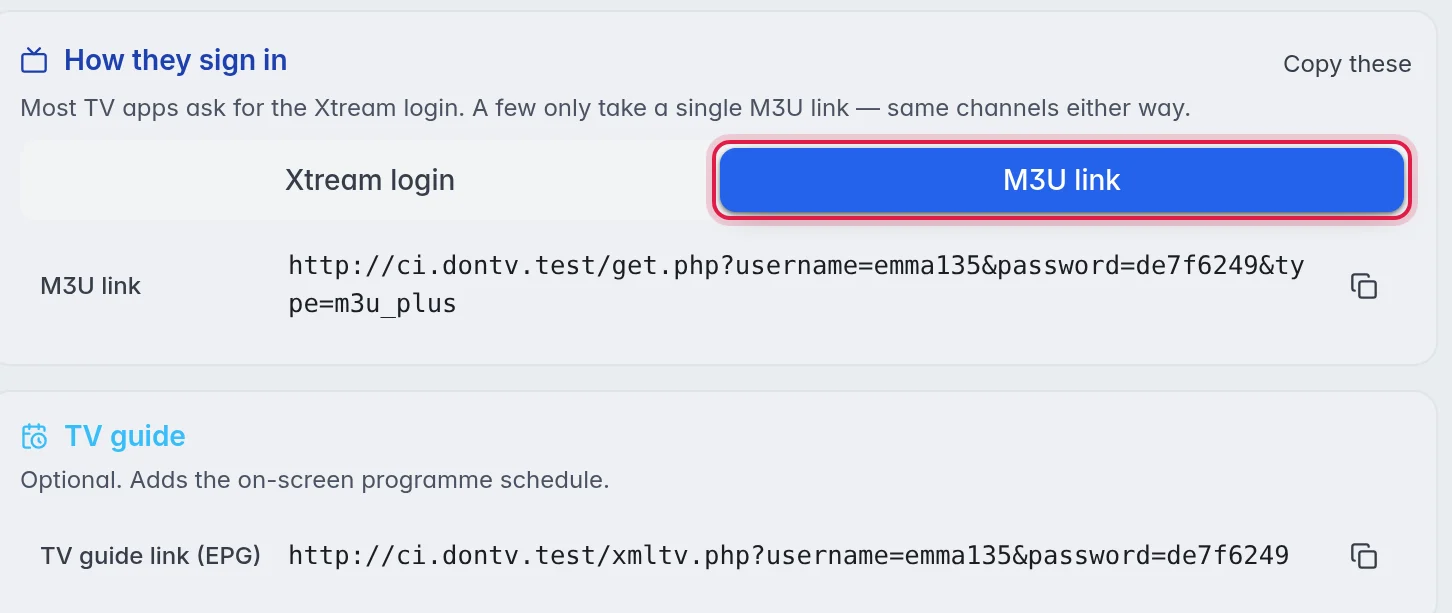
- Copy and send: Copy the values with the copy icons, or click Copy these, and send them to the customer.
- Add the TV guide (if asked): Players that ask for an EPG or guide link get the TV guide link (EPG) from the same window.
- Let the customer add it: In the player, the customer adds a new playlist and pastes the Server URL, Username and Password, or the M3U link.
Xtream login or M3U link
- Xtream login: Brings live TV, movies and series together, loads the TV guide by itself in most players, and keeps one channel for each channel with fallbacks. When the first source fails, it switches over by itself. Choose this whenever the player has it.
- M3U link: One address with everything in it. When a channel has fallbacks, the M3U lists them right after the channel as "Channel (Backup 1)", "Channel (Backup 2)" and so on. The customer can switch to one by hand. These names still say Backup, so favourites keep working.
What is different from the M3UTool apps
- There is no activation code. The customer types the login or pastes the link.
- Messages you send with Message all do not show in other players.
- Other players are never listed in Who's watching and never count towards Max devices. Your provider's own connection limit still applies. More in Devices and connections.
- Your branding does not show. The player looks the way its maker designed it.
Good to know
- Group access, the end date, pausing and what the customer arranged under My channels & movies apply in other players too.
- If a customer's Smarters shows the guide a few hours off, set Guide clock for that customer. More in Guide clock.
- Logos and posters reach other players as full addresses on your customers' domain, so TiviMate and Smarters show them.