Language of posters and info
TMDB answers in the language it is asked in. The language decides whether a German group gets German plots and titles or English ones, and what the genre groups are called: "|DE| Komödie" instead of "|DE| Comedy". In M3UTool every group has its own language, so one playlist can serve German, English and French customers side by side. Follow these steps to set the language of your groups.
Steps
- Open Posters & info: On the Posters & info tab of Movies or Series, click Posters & info in the top bar.
- Show the groups: Under 1 On what?, click Pick groups…. Each group shows a language list next to its count.
- Set the language: Open the list next to a group and pick its language, for example German. It is saved at once. Auto lets M3UTool decide from the prefix rules.
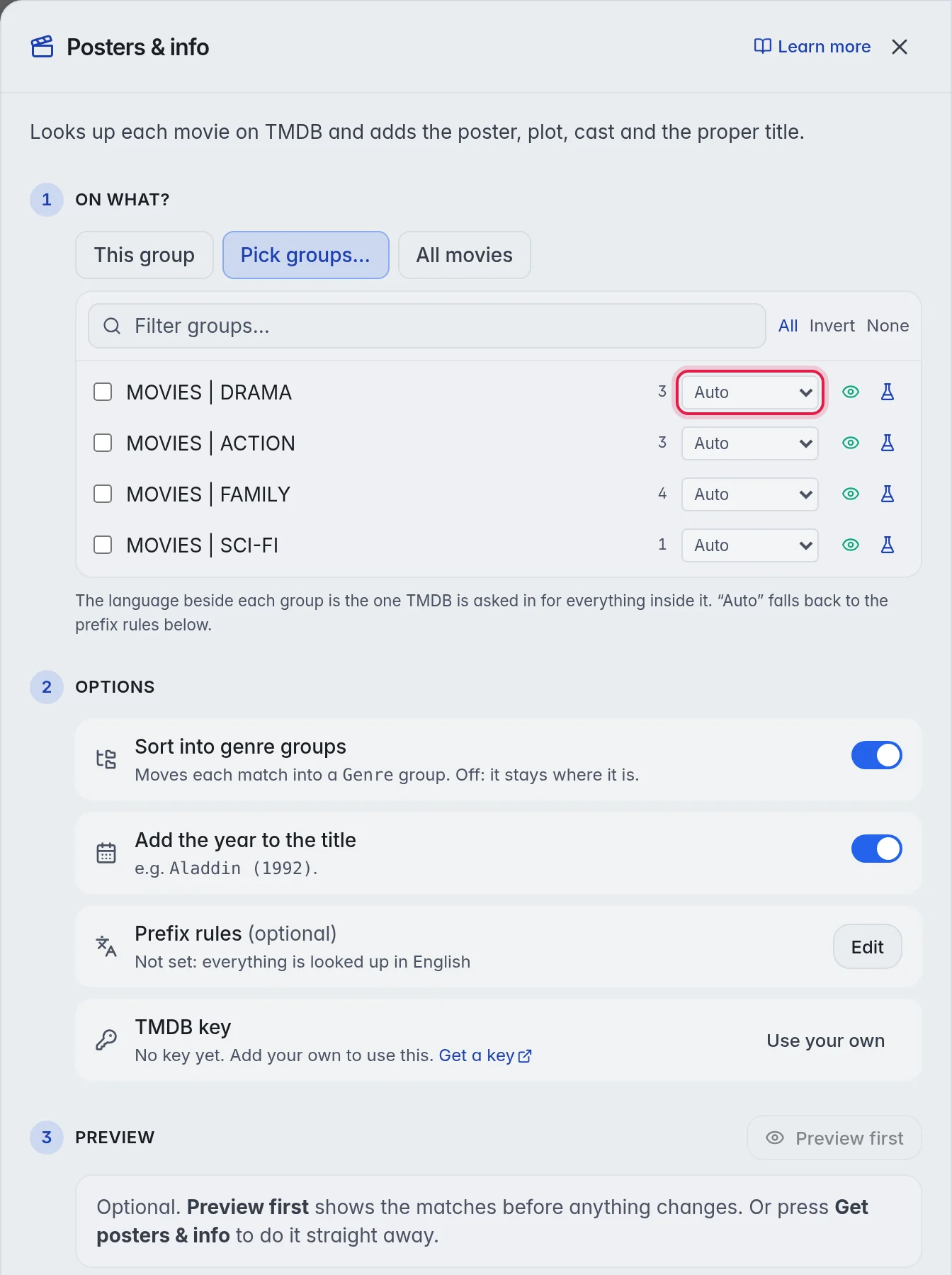
- Set many at once (optional): Tick the groups, then pick a language in Set picked to… above the list. Auto (clear) sets them back to Auto.
- Fill in: Click Preview first or Get posters & info as usual. Every title is looked up in the language of its group. More in Fill in posters and info.
Let M3UTool read the language from the names
Most providers put a code at the start of the group name, such as "|DE| Filme" or "EN - Series". M3UTool can read it for you.
- Open the Groups tab: Click Groups in the row of tabs under the top bar.
- Detect: Click Auto-detect language above the group list. M3UTool sets a language on every group whose name starts with a known code. Groups that already have a language are left alone.
To set or change one group, click it on the Groups tab and pick a language in TMDB language under Settings. Prefix rules (default) lets M3UTool decide.
Prefix rules
A prefix is the word at the start of a title or group, such as EN, DE, NF or MULTI. M3UTool knows the common country and language codes and takes them off the title before the lookup. The language for a word comes from your rules, or from a short list the M3UTool team keeps. So add a rule for each word your groups use. A prefix can be up to 12 letters.
- Open the rules: Click Playlist settings in the bar on the left of the editor, then Posters & info. The rules are in the Prefix rules box. The Posters & info window shows the same list: under 2 Options, click Edit next to Prefix rules.
- Add a rule: Click Add prefix, type the word, for example MULTI, and pick its Language. A prefix needs 2 letters before it is saved.
- Or let M3UTool find them: Click Auto-detect from groups. M3UTool adds the words it finds in your group names, with a language where it knows one. They are saved at once. Remove the ones you do not want with the ×.
The rules save by themselves. The note at the bottom says saved.
A prefix in the rules is taken off the title before the lookup and sets the language.
Important: A word only counts as a prefix when M3UTool knows it or you added it. This is so that titles like "Night-Watch" or "Fire-Fly" keep their first word.
Move a prefix's films to another prefix
Some words are not a language of their own. MULTI or NF, for example. Move to puts their films and series with another prefix.
- Pick the language: In the row of MULTI, pick English. When your playlist has English groups, Move to fills in their prefix, for example EN. Pick stays if they should stay where they are.
- Or pick the prefix yourself: Open Move to and pick EN. Picking EN also sets the language to English when it can.
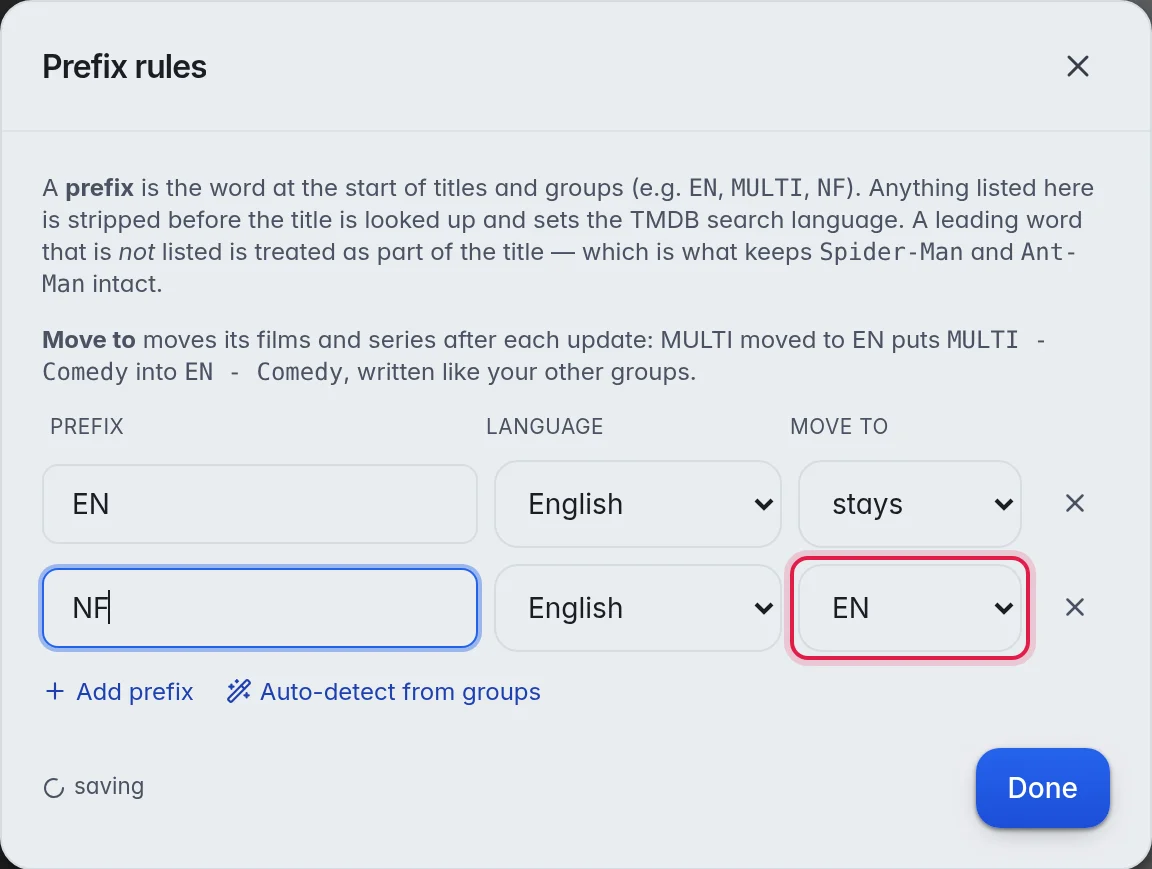
MULTI moved to EN puts a film from "MULTI - Comedy" into "EN - Comedy". The group is written the way your other groups are: "|MULTI| Comedy" goes to "|EN| Comedy". A group that is missing is made. Live channels never move.
New films and series move after each provider update. To move what is there now:
- Start the move: Under the list of rules, click Move MULTI → EN now. A window asks "Move MULTI films and series to EN?".
- Confirm: Click Move them now. You can take it back with Undo in the top bar.
- Films TMDB cannot find stay where they are.
- Important: The move cannot be undone. Take a backup first if you are not sure. More in Backups and restore.
- Empty |NF| groups go to the bin by themselves a little later.
Which language wins
- The language set on the group.
- Your prefix rules, for the code in the group name.
- A list of codes the M3UTool team keeps.
- English, when nothing else applies.
Good to know
- Find on TMDB in a title's details starts in the language of its group. You can pick another language there for one search. More in Pick the right match.
- Where TMDB has no translation of a genre name, the genre group keeps the English name.
- After you change a language, run Posters & info again on those groups to replace the details that are already there.