Give a customer their links
Every customer gets a login for their player, a TV guide link and a page of their own. You find all of it in one window, ready to copy and send. Follow these steps to give a customer their links.
Steps
- Open the customer: In Customers, click the customer in the list.
- Open the window: Click Give to customer at the top right of the customer.

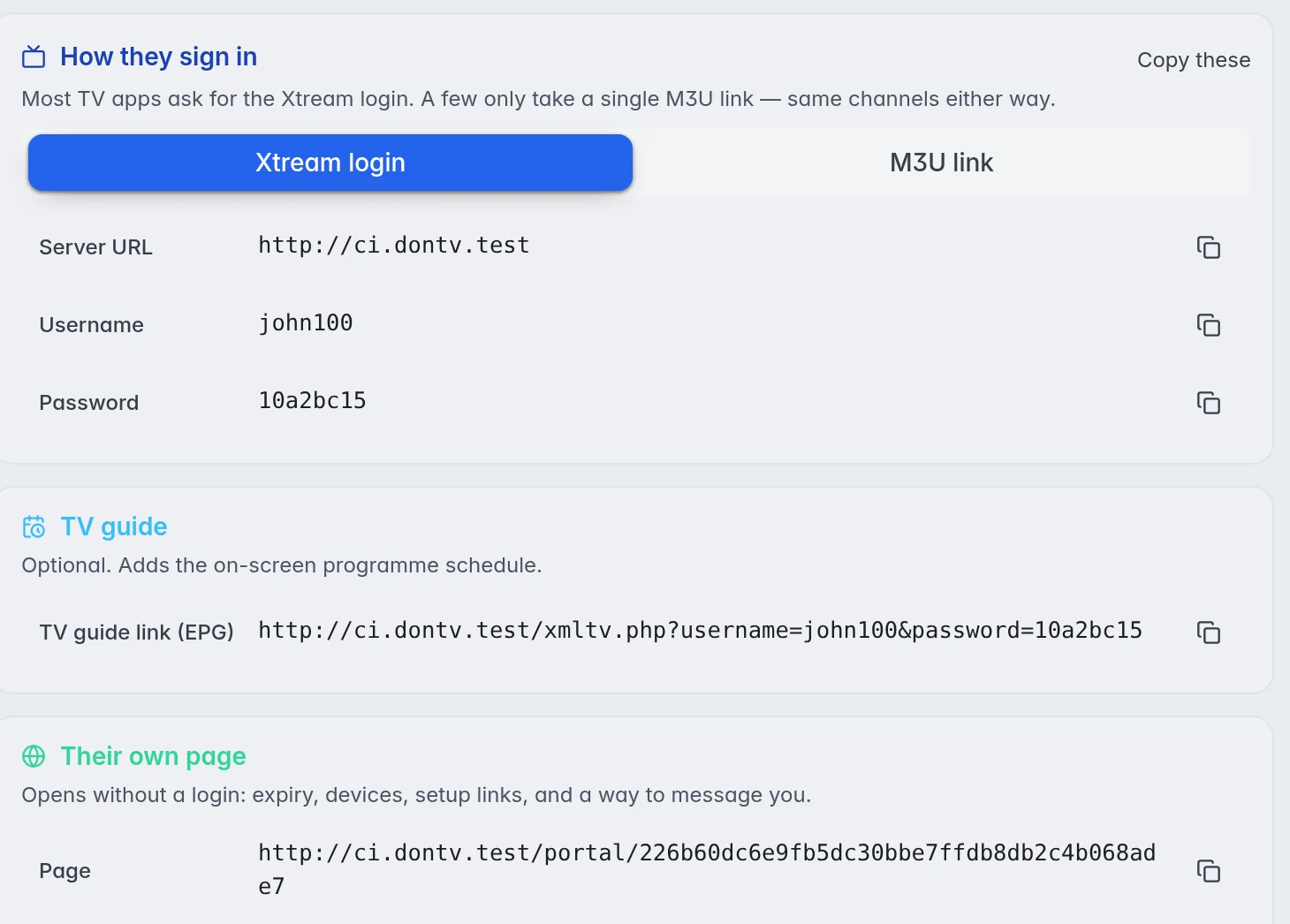
- Pick how they sign in: Under How they sign in, choose Xtream login or M3U link, depending on what their player asks for.
- Copy: Click the copy icon at the end of a line to copy one value, or Copy these to copy the whole block.
- Send everything at once (optional): Click Copy everything at the bottom of the window. This copies a ready-made text with the Xtream login, the M3U link, the TV guide link and their page, which you can paste into a message.
- Close: Click Done.
The same window opens by itself right after you create a customer.
What is in the window
- How they sign in: The Xtream login (Server URL, Username, Password) works in almost every player app and brings live TV, movies and series together. The M3U link is one address for players that only take a playlist link. Both show the same channels.
- TV guide: The TV guide link (EPG). It is optional. Players that take it show the programme schedule next to the channels.
- Their own page: A web page for this customer only. It opens without a login and shows their end date, the devices that are watching, their setup details, a button to watch in the browser, their activation code and a way to message you.
- Set up the M3UTool app: Activation codes for the M3UTool apps. More in Activation codes.
Good to know
- Important: Anyone with a customer's page link can see that customer's login. Send it only to the customer. This is so that the page can open without a password.
- On their page, under My channels & movies, customers can put groups in their own order, hide what they do not want and rename groups for themselves. It changes nothing for other customers or in your editor.
- If you use your own domain, the links in this window use it. More in Branding and custom domain.